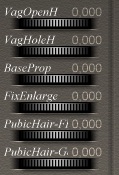
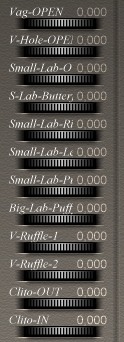
| 1- Load Daz Victoria V3 figure in the Poser scene *note* During these operations avoid changing the figure's position, otherwise the Magic-G! prop won't fit on the figure properly. |

|
| 2- Select the Victoria figure. Open Poser library "Poses" -> "++Magic-G-Prop!"
and apply the pose named: "V3PoseDefault" This pose positions Victoria correctly to receive the Magic-G! prop. *note* After installation you can also apply the pose "Open" for the best view, I suggest you use the camera pose "Magic-G! Set-up" |
 

|
| 3- Open Poser library "Poses" -> "++Magic-G-Prop" Then apply the pose named "MGP-INJ-V3" This pose applies some morphs for fitting the Magic-G! to the Victoria hip. |

|
| 4- Load the Magic-G! figure in the Poser scene
"Figures"->"ApCharacters"->"Magic-G!-Figure-Prop" Do not doubleclick the prop, just click the double checkmark at the bottom of the ApCharacters menu to add it. |

|
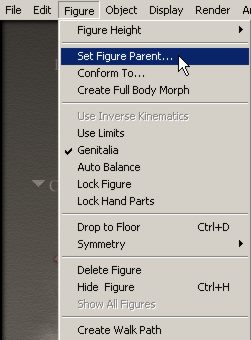
| 5- Select the Magic-G! figure Open the Poser menu "Figure"->"Set Figure Parent..."
|
|
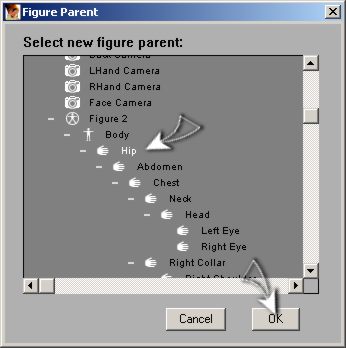
| 6-In the pop-up window scroll down to the Victoria hip, click once and then click "ok". |
|
| 7-Now
select Victoria figure and apply on Victoria the texture that you prefer. (In this example I use the DAZ texture "! V3NaturalHi") |
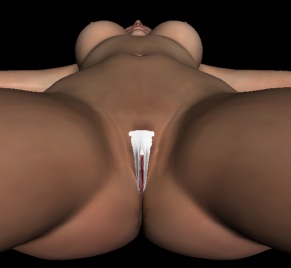
|
| 8- Now select the Victoria figure and apply the texture that you prefer. (In this example I used the DAZ texture "! V3NaturalHi") |
|
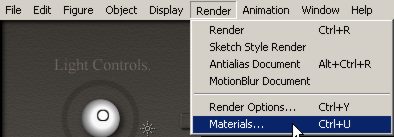
| 9- Select the Magic-G! figure and open the Magic-G! materials window (poser menu "Render"->"Materials..") In the top section, click on "material" and select the material "VaginaExternal" Apply the same BODY texture of your Victoria figure to "VaginaExternal".
|
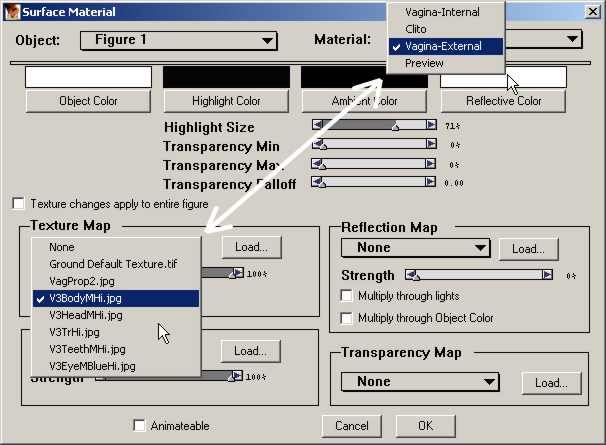
|
| If your Victoria texture requires an adjustment of the
Magic-G! genital labia hue, you can use the MAT poses "zG-HUE-Dark" or "zg-HUE-MidDark" for perfectly matching Magic-G! with Victoria's texture. These poses slightly darken the small labia color. |


|
|
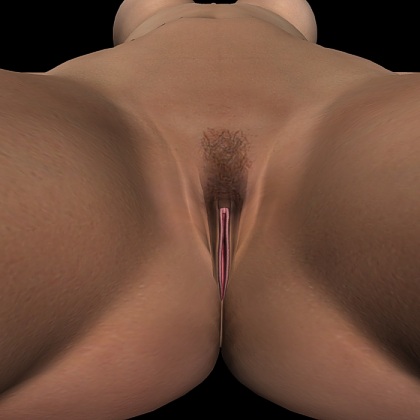
Magic-G! is Ready! |
|